
On a workshop last week I came across a bug in the latest version of Photoshop 2020cc.
The problem arises whilst trying to create a new mask when trying to click on the new mask button icon.
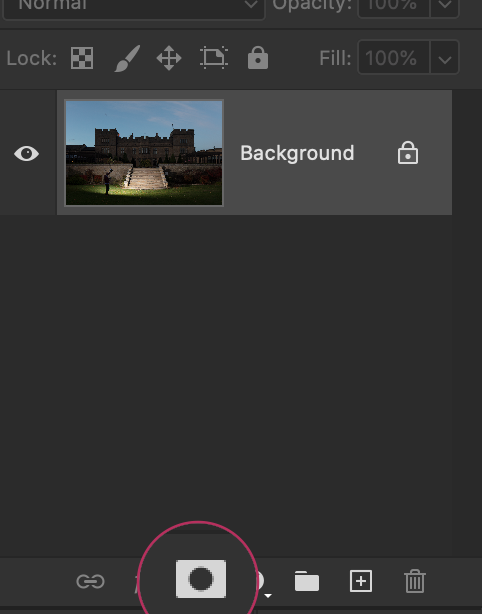
The button becomes greyed out and does not work when clicked. I have not been able to replicate this problem, but another member of the course suffered the same problem that day. It is possible to create the mask via the main menu, but the shortcut button in the tools panel does not do anything. And it appears to be the only button that is affected. It appears to somehow....... get stuck!
I searched online and found this solution to unstick the button.
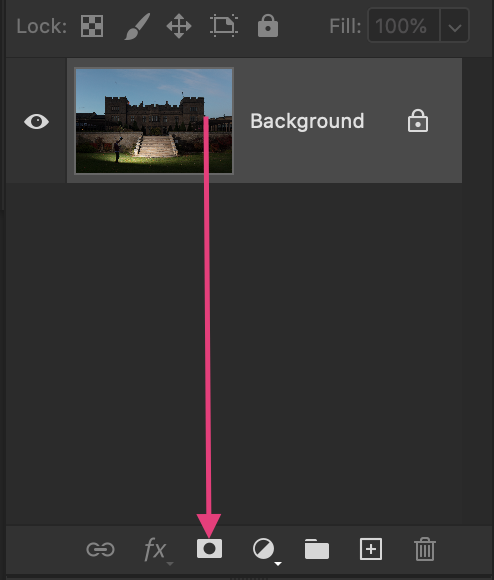
Simply click and drag one of your layers onto the mask icon to "unstick" the button. This will save you having to save your work and restarting Photoshop.
Paul

Leave A Comment
Comments